
Project Summary
Platfrom:


Engine:

Group Size: 19
Genera: Puzzle Platfromer
Time: 9 Weeks
Github(remake)

Game Page:

Done at:



Game Summmary
Entropy is a puzzle platformer with light horror elements where you explore a ruin of a long forgotten civilization.
It has a dark atmospheric game play where you have to use your only source of light to not just guide you but also to clear the path for you.
My Controbutions
Platfroms
Pathing was made to be easily ediable and expanable by implementing the use of a spline.
Debug was an important thing for this tool/gameplay element, I made it so that it could spawn identical meshes to the chosens platfroms mesh. This "debug platform" would show the rotation and postion the platorm would be across its gerny.
Math was need to fix a bug with how sending two objects with the same speed along a lerp works. Thanks to the math the platfroms kept a consistant speed on any distance.
Rumbel is a feature inbuilt into the platforms that activates either when the plarform has just been hit by a light projectile or if it has been hit that light projectile gets recalled.
This could also be activeated between points.
Vine Genertor (Unfinnished/Unimplemented)
Finding point finding where the points should go is easy, I just send a bunch of rays in a cone in a diraction. Anywhere where these nodes hit is where we can make a new spline point for the vine.
Spline Generation I got spline generation working but adding sbanpline points in the correct space was oddly diffcult, i am still 78% sure something like "spline space" is real.
Crawling over objects getting onto or over objects in the scene works but was finacky.
I really can not do this one justice in short words so please read full breakdown if you are intressed
Full Breakdown
Project Summary

Project Summmary
This is a personal project I did in school at PSQ . I enjoy physic based movement, I think its really cool so making movement in untiy was an easy choice for this personal project.
This project used this tutorial video. I ended up learning a lot, the thing I took with me the most was the costom shader they used as a debug tool, I think that was really neat.
The movement uses the kinematic character controller, a low-level character controller.
My Work
Movement
This movement contains:
Sprinting - normal sprinting
Jumping - like most games
Dashing - an impulse of speed in your look diraction but placed on a flat plane (you cant gain hight from it)
Crouching - lowers the camera and the player hight
Sliding - allows you to slide down object to gain momentum
Wallruning - allwos you to run along a wall
I like how unity does movement, Ive work with it before and I always enjoy learning more about it.
This Player would be best for a fast pased game with a lot area to run around in.
The best part about this whole project was still the shader that shows where you can and can not walk, I love it with all my heart.
NPC (Unfinnished/Unimplemented)
NPC are diffcult to make good, I managed to get this npc to be able to run to cover and shot at the player... but not at the same time.
I am thinking of revisting NPC's in unity becouse I think npc and npc behavior is really cool.
For now the NPC just walks from a to b, b being the cover it can find. It is meant to find cover then hid and shot at the player but it never seems to go into shoting the player state.
Guns
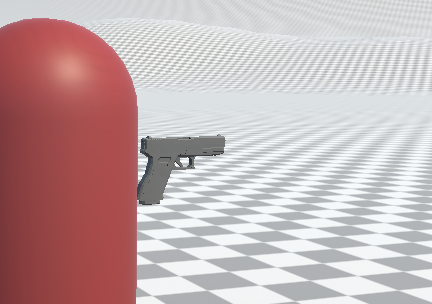
I made a gun system by fallowing this tutorial.
Its really modular and it easy to add more weapons as needed. They are made up of 3 scriptable objects.
Gun - which contains setting such as type, impact type, ammo, spawn point and rotation.
Shoot Configuration - which contains setting such as hit mask (what this can hit), fire rate, recoil recovery and spread.
Trail - which contains setting such as material, width, duration, color and speed.
Full Breakdown

Project Summary
Game Summmary
Pilot a sumbarine and venture into the deep unkown of the far deeper sea. Discouver an long frogotten ruin of a people long gone.
Pianer the sub througth dangreus terrain to find any information about the people who used to live here but do not threat you are not alone with your trusty Ai pilot onborad.
My Controbutions
Sonar
The math of angles, I used math to precaluclate what angles we were going to use for the sonar on start up and then just stored them in an array.
Vertical and horizontal angles were both needed to be calculated, to shot out rays in a cake slize shape towards a particular diraction.
The Secound camera, I used a secound camrea to render to a texture. The camerea only captured the sweap line, the background and the sonar dots that were made by where the rays had hit
The help, I didnt do this completly alone, I made the sonar but it was quite heavy. A friend of mine and at the time group mate named Kjell Hopkins
ended up optimazing it, so props to him.
Dialog Tool
Putting dialog in was really easy, I just made it so that everything that the designers wanted to be able to send dialog ques had a list of 2 things
1. a string of text the would be the visual subtitles that come out from interacting
2. a sound clip, this would be played as the voice over from the onboard ai.
Quing Dialog could be done by either in a dialog trigger box (as seen in the video) or in a interactable. These would be put everywhere in the levels to give the player lore drops and hints
Electric Hazard (Unfinnished/Unimplemented) !!! FLASH WARNING !!!
This I was given in the last 2 weeks of the project and I think I did a bang up job in that time
Electric Hazard has 3 parts, The base script, The Manger and The Caller.
Base Script was a base script for anything electric in the submarine, this would have 2 function that any script that inharinted from this script would overide.
1. On
2. Off
This is how we get the flashing effect by reptevly calling these functions.
The Manager was just a script that on start would just gather all script that inharinted from Base script into a list to later go througth and call.
This could be done on begin/start becouse the ammont of electric scripts never changes.
The Caller was any object that would caouse the flashing effect, it just asked the manger to execute the on and or off functions inside of the scripts.
This leads to a really cool effect that sadly didnt quite make it.
NOT DONE YET

Project Summary

Project Summmary
This is another personal project we were given time for in school and I really like maountains so I decided to make this. Mountain terrain generator using Diffusion Limited Aggregation or DLA.
I learnt about this from this video and it was really intressting so I wanted to try it.
My Work
Terrian Tool
There are a few steps you go througth when making DLA.
Step 1. Create a pixel on a texture.
Step 2. Create more pixels right next to the previus once and neigboor them togather
Step 3. go over the pixels and add weight equal to how far up the are in the neigboor tree. Higher weight = more white
Step 4. When you have your decired ammont of pixels scale the image up in to ways
Step 4.1 Blur Upscale, keep the shape but smread out
Step 4.2 Sharp Upscale, move all pixels by x*2 and y*2 and create conections between them
Step 5. Repeat step 2 - 4 till you have reached the scale wanted using sharp upsacled image to add more points
Step 6. Combine Blue Upsacle and Sharp Upsacle
Step 7. Apply the Combined Texture as your Height map
After all of this you should have a mountain-ish shape
NOT DONE YET
Project Summary
Platfrom:
Engine:
Group Size: 15
Genera: Movement Slasher
Time: 9 Weeks
Github(remake)
Game Page:
Done at:
Game Summmary
Crimson is a firstperson shooter with out a gun. You are ristricted to malee as you run, vault and slide yourself throguth this zombie infected Edo period japanize city.
My Controbutions
Player Movement
I made the players movement, this invalved making it inside of c++ using the structure that unreal wants you to use.
I built off of the CharactermovementComponent that unreal already has, thanks to this tutorial I found it was easy to learn and implement.
Combat
Not done yet